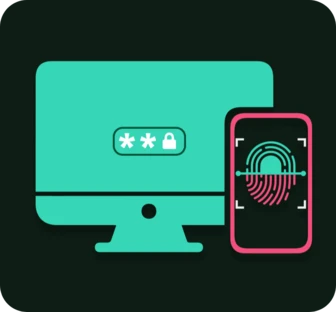
PulseUnlock
Unlock your PC using your phone.
For Windows, Linux and macOS, with iPhone or Android.
Stop typing your password. Confirm on your phone and your PC unlocks. At the lock screen, in elevation prompts and in sudo.
Your PC asks your phone.
Right when it needs your password.
You confirm with your fingerprint.
Or your face. One touch is all it takes.
And you're in.
Your real password unlocks it. You just never typed it.
Your phone is the key. At the lock screen and beyond.
Unlock from anywhere.
With Cloud, your phone gets the request wherever it is, even on another network, and pops it up by itself. End-to-end encrypted, easy on your battery, no sign-up.
Requires a Cloud subscription in the app.
Wherever you'd type your password.
Windows, Linux and macOS.
On Intel, AMD, ARM and Apple silicon. On Linux, with GNOME, KDE, Cinnamon, Hyprland and more, and on servers without a desktop from the terminal.
No account. No internet.
Pair over Wi-Fi, LAN or Bluetooth, and everything stays on your own network.
Wake it, then unlock it.
Wake your sleeping PC right from your phone with Wake-on-LAN, then unlock it in the same go.
Made for the terminal, too. On Linux and macOS, your phone confirms sudo, permission prompts and SSH logins.
sudo
polkit
SSH logins
Security & privacy
Your password never leaves your PC.
It is stored encrypted, and the key to it lives only on your paired phone. Your phone never sees your password, and it is never sent over the network.
End-to-end encrypted
AES-256-GCM, with keys only your two devices hold. Not even Cloud can read it.
Nothing bypassed
Your operating system still checks your real password, with every policy and lockout in place.
Can't be replayed
Every unlock answers a one-time challenge, so a recorded one is worthless.
Open source
The desktop app and its login components are on GitHub under the GPL.